Minimal setup Azure devops #
To setup Azure DevOps need to go to Azure DevOps, login to Azure DevOps
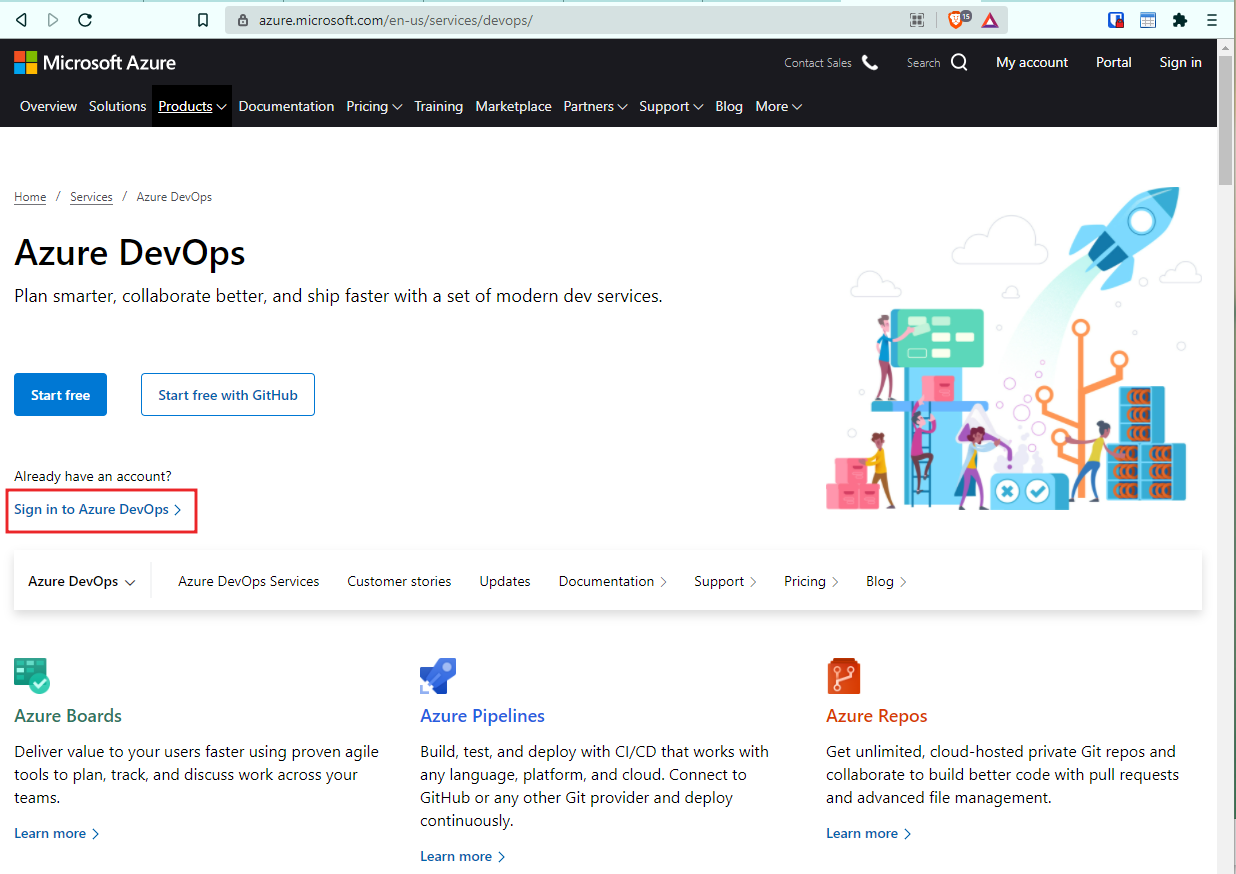
and create new project.
Select your organizations and press the “New button”.
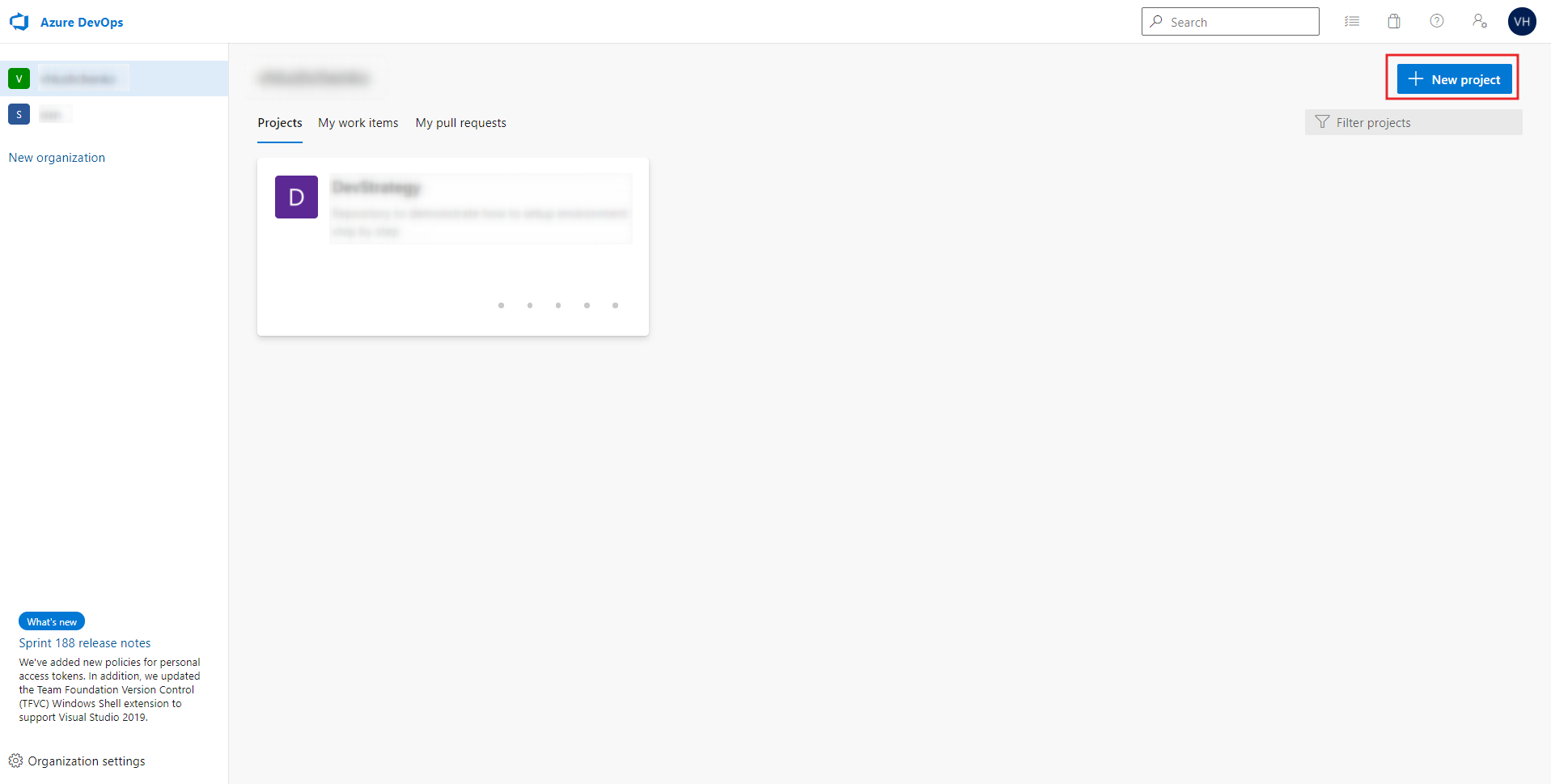
Setup basic parameters
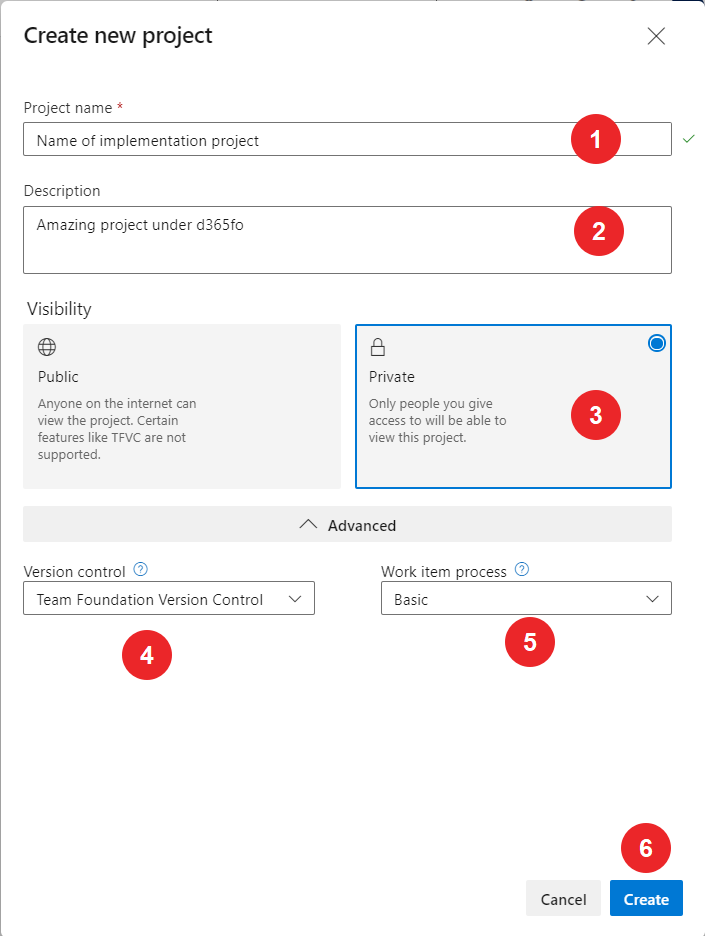
where
| # | Field name | Description |
|---|---|---|
| 1 | Project name | Enter project name |
| 2 | Description | Enter project Description |
| 3 | Visibility | Select project Visibility |
| 4 | Version control | Select Version control system VSTS or GIT. Now and later all description will around VSTS |
| 5 | Work item process | Select Work item process based on standards on company |
| 6 | “Create” button | Press “Create” button to create a new project |