Create new release #
Release this is process to transfer code from one branch to another branch, create deployable package and deploy package to target environment.
Promote code from one branch to another branch #
NOTE: All description below only for VSTS version control system.
We should merge our code from one branch(source) to another branch(target)
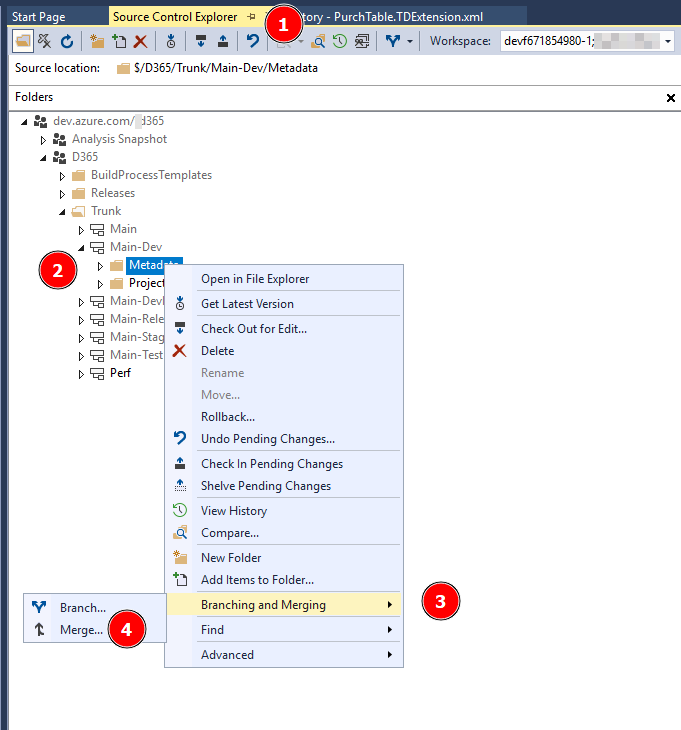
- Open Source control explorer
- Select source branch
- Right click and select
Branching and Merging - Select
Merge ...
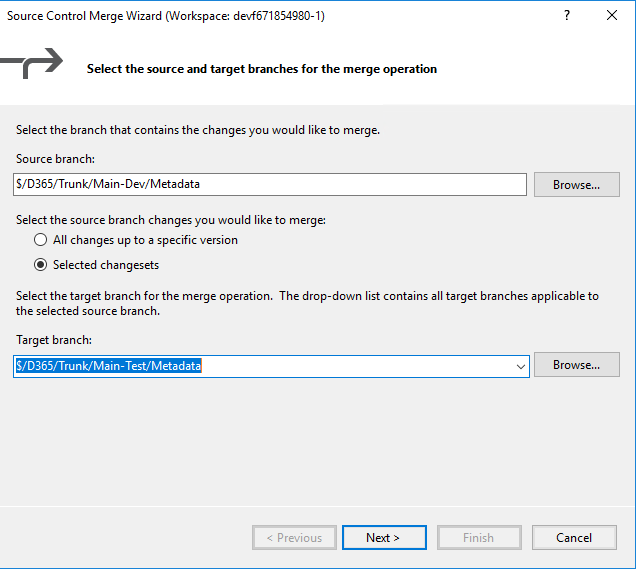
Select target branch and press Finish button
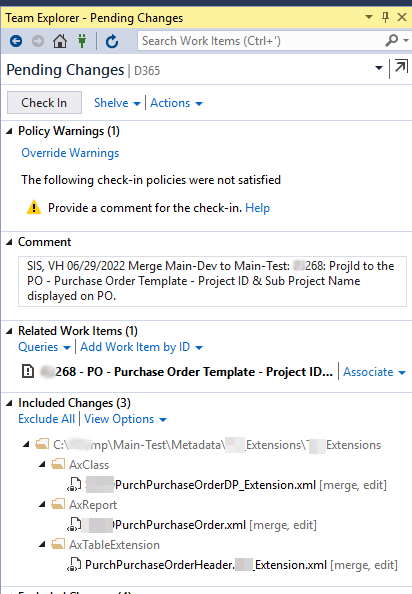
Make appropriate comments, add rellated work, and press Check in button
Run build pipeline #
We can run build pipeline manually or it will run automatically by schedule
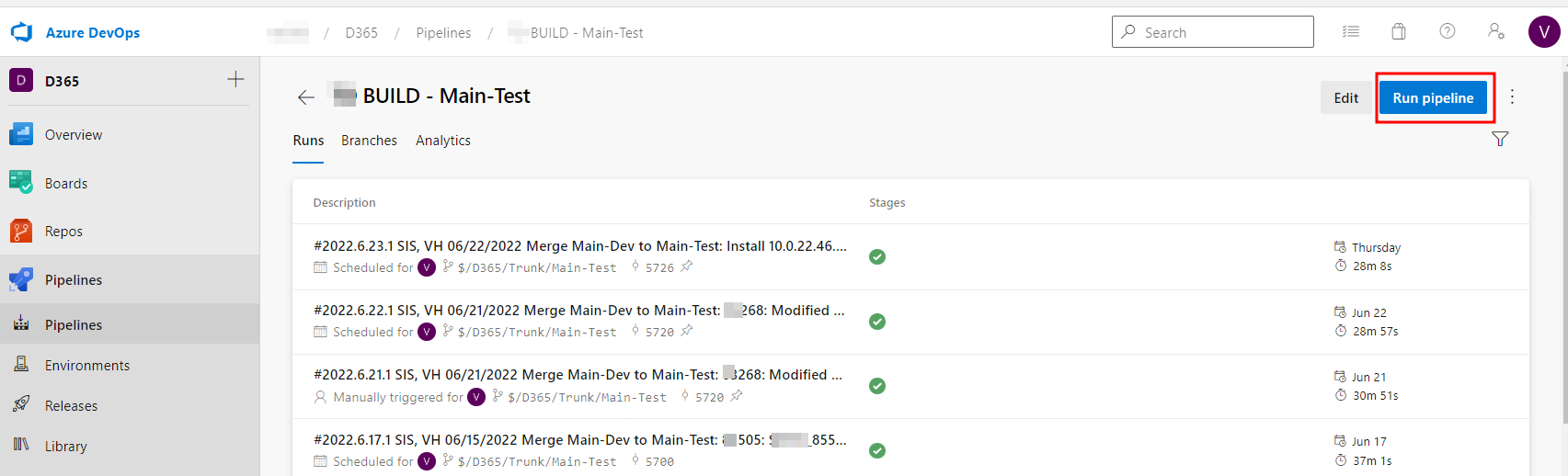
Manual steps #
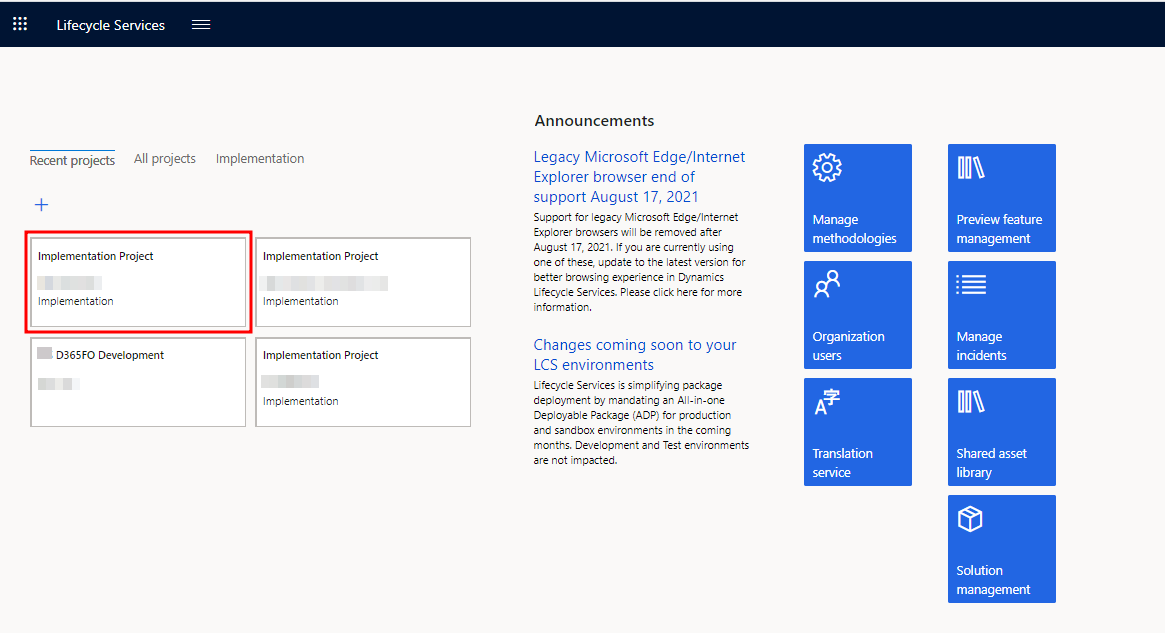
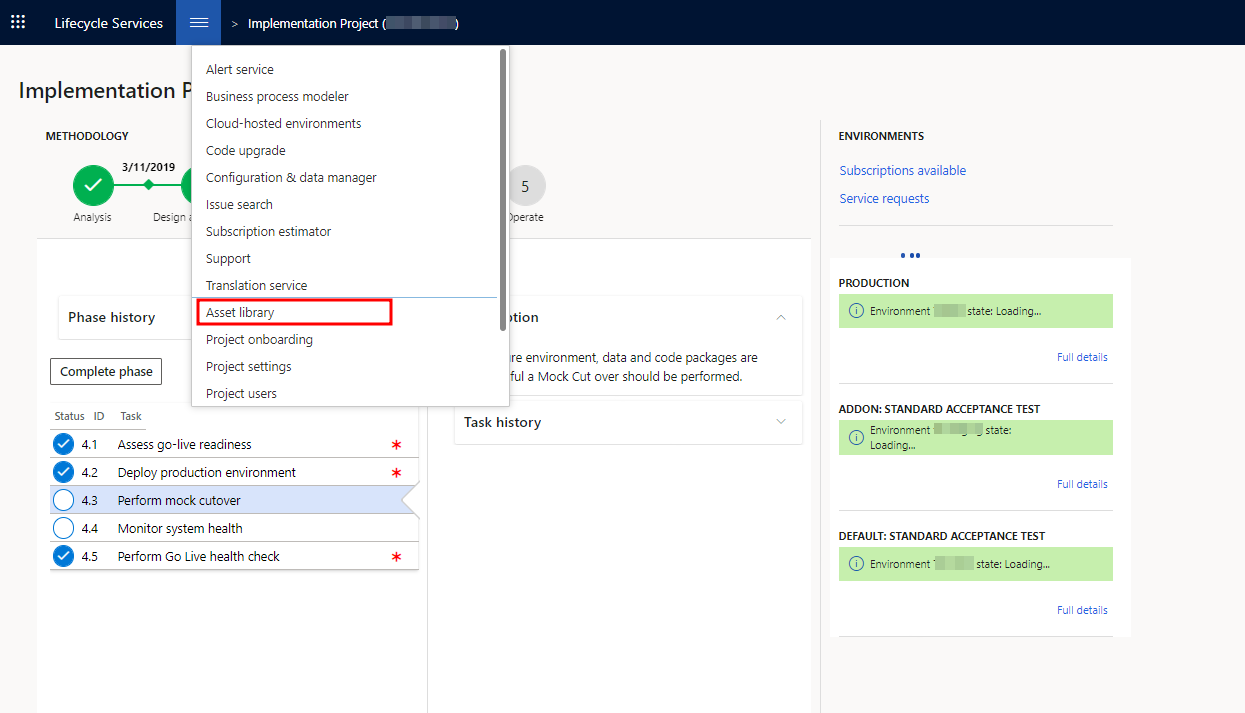
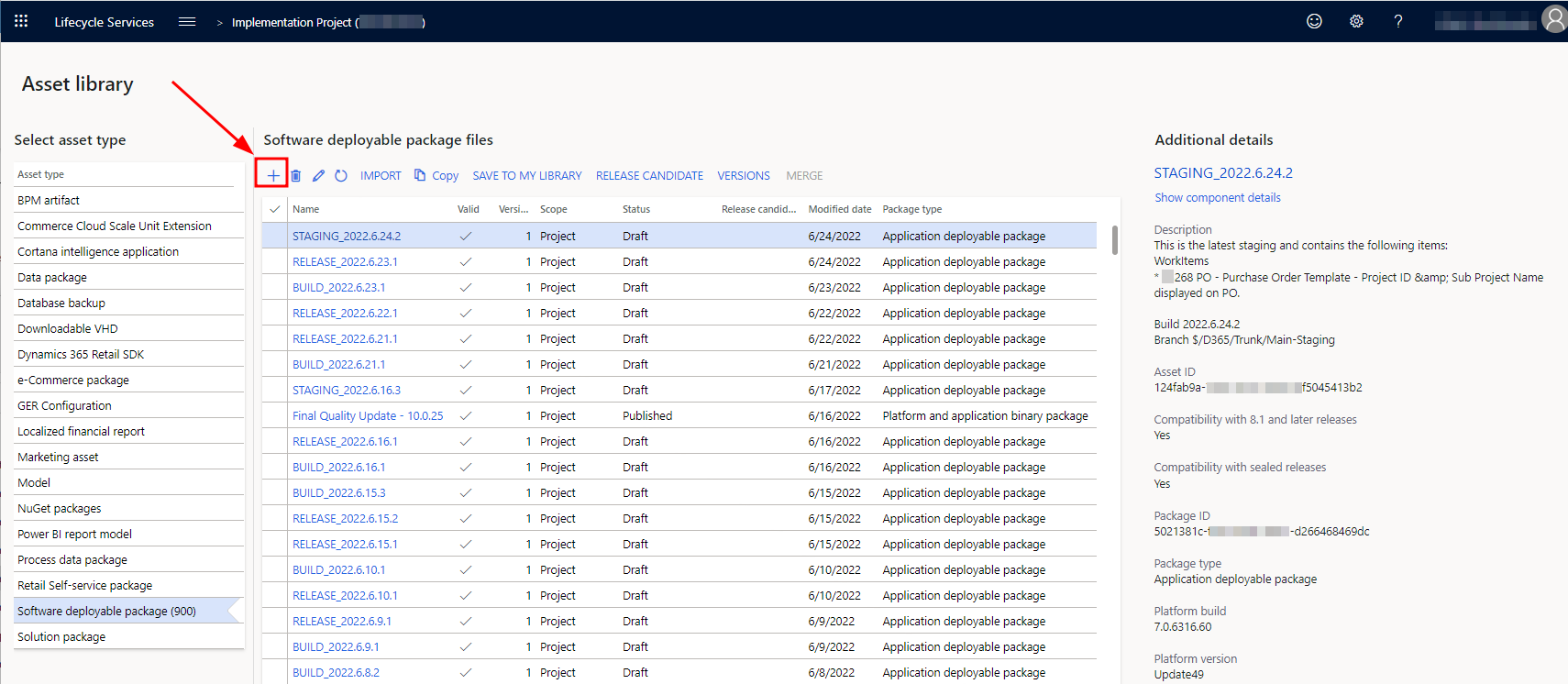
Upload package to the LCS\Asset library #
Build pipe line create package. We should download it from build pipeline
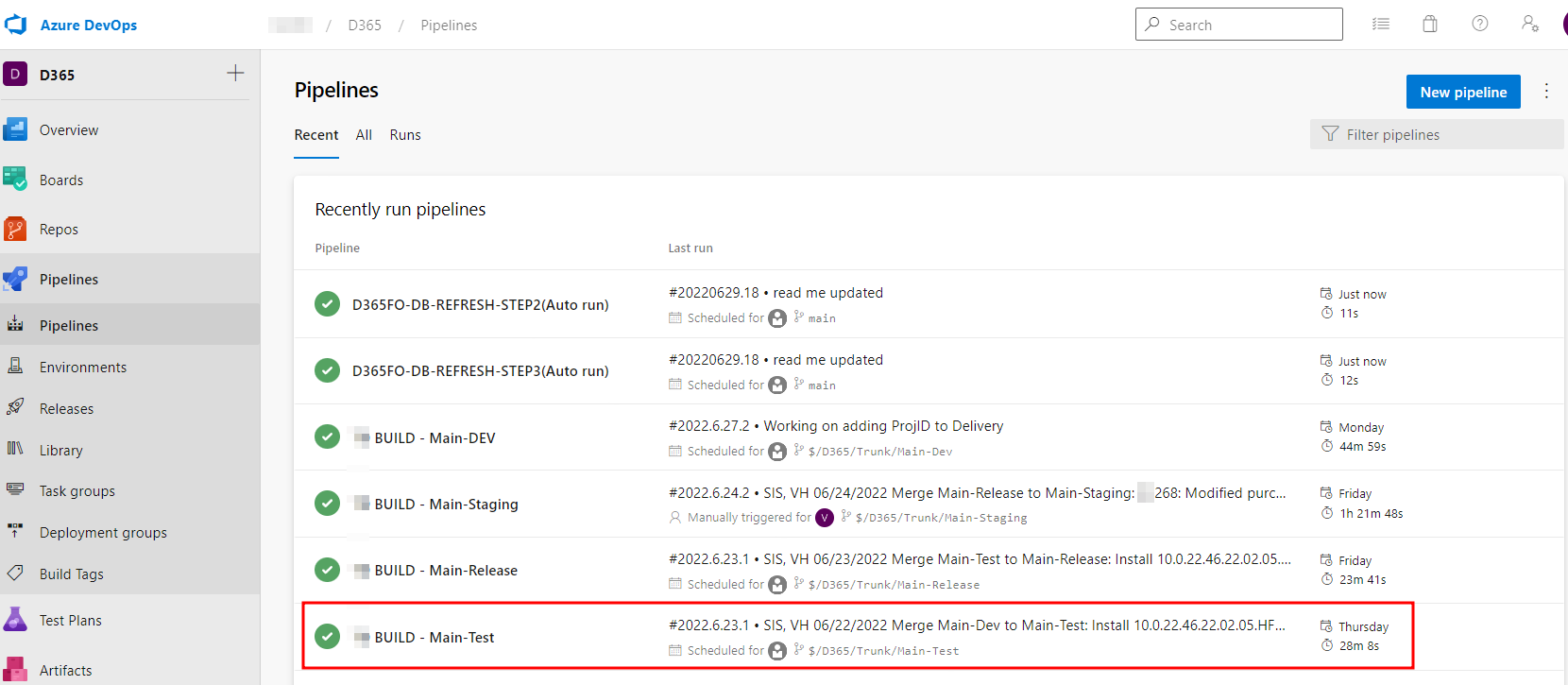
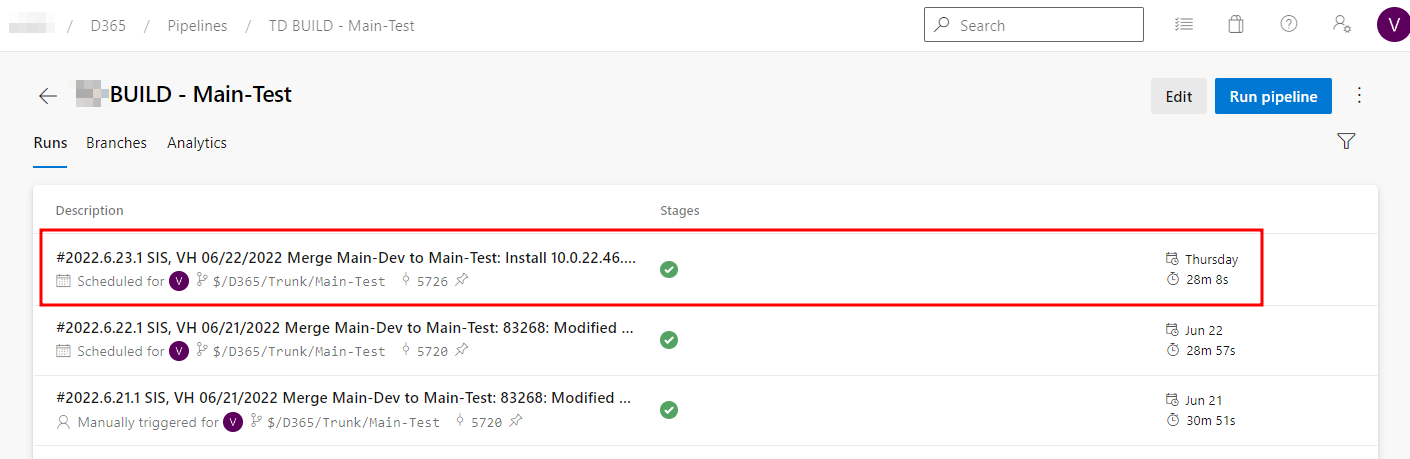
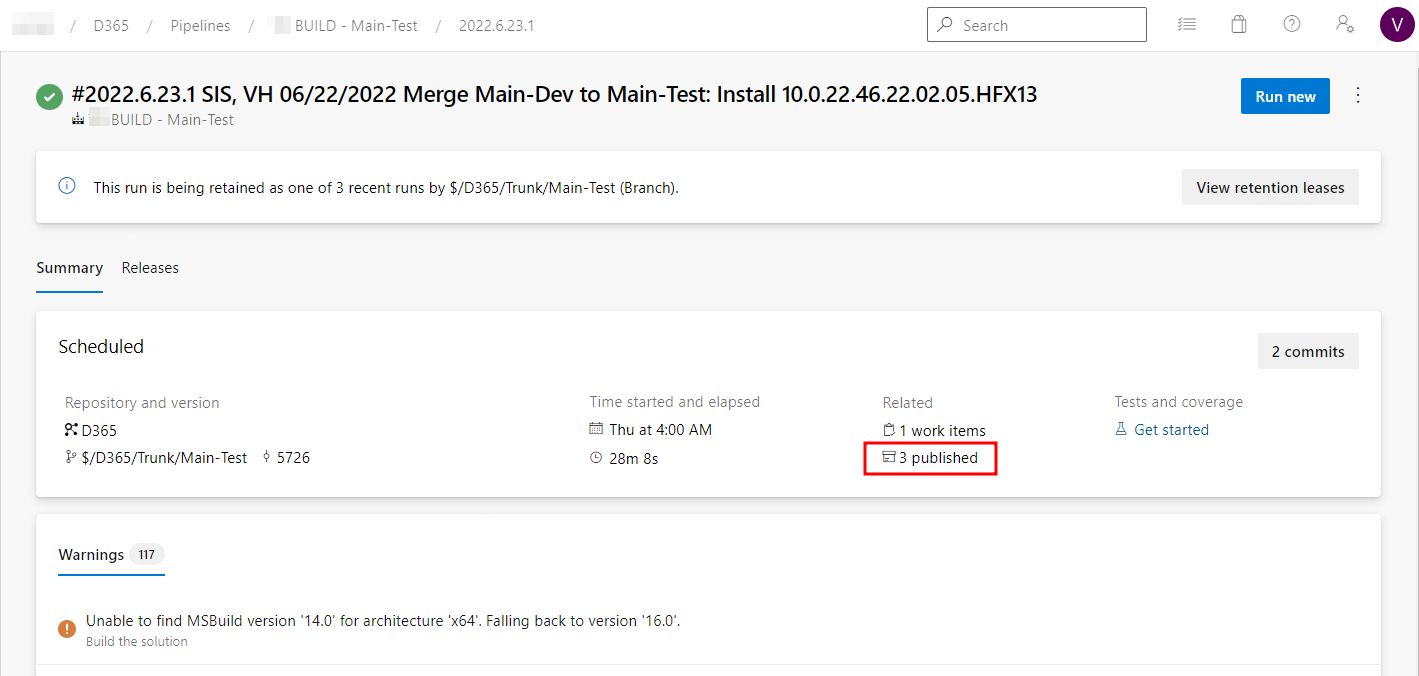
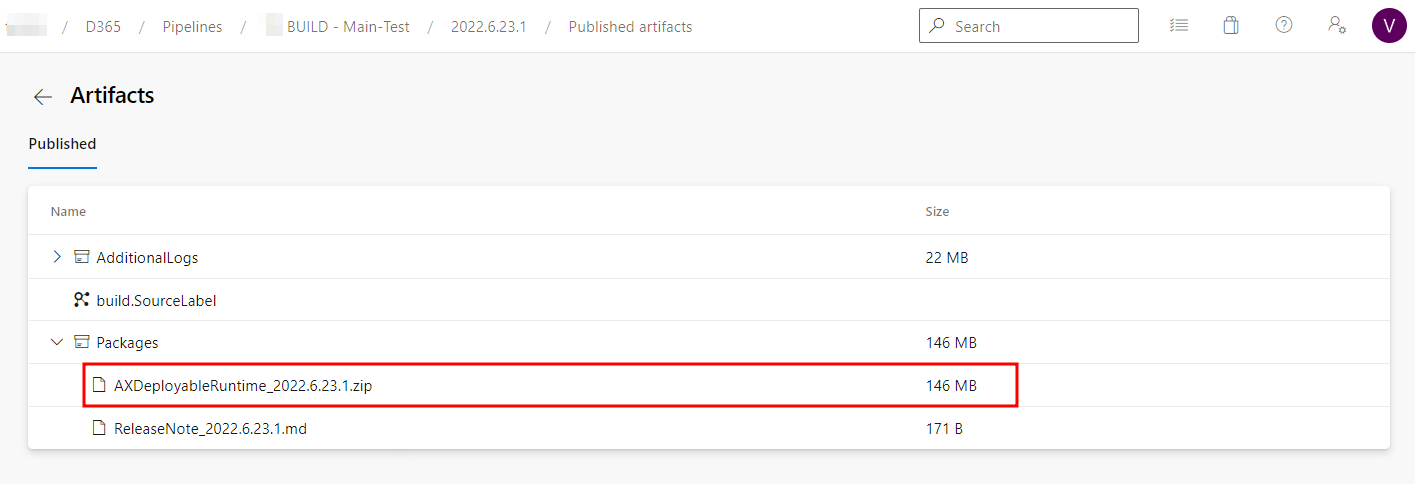
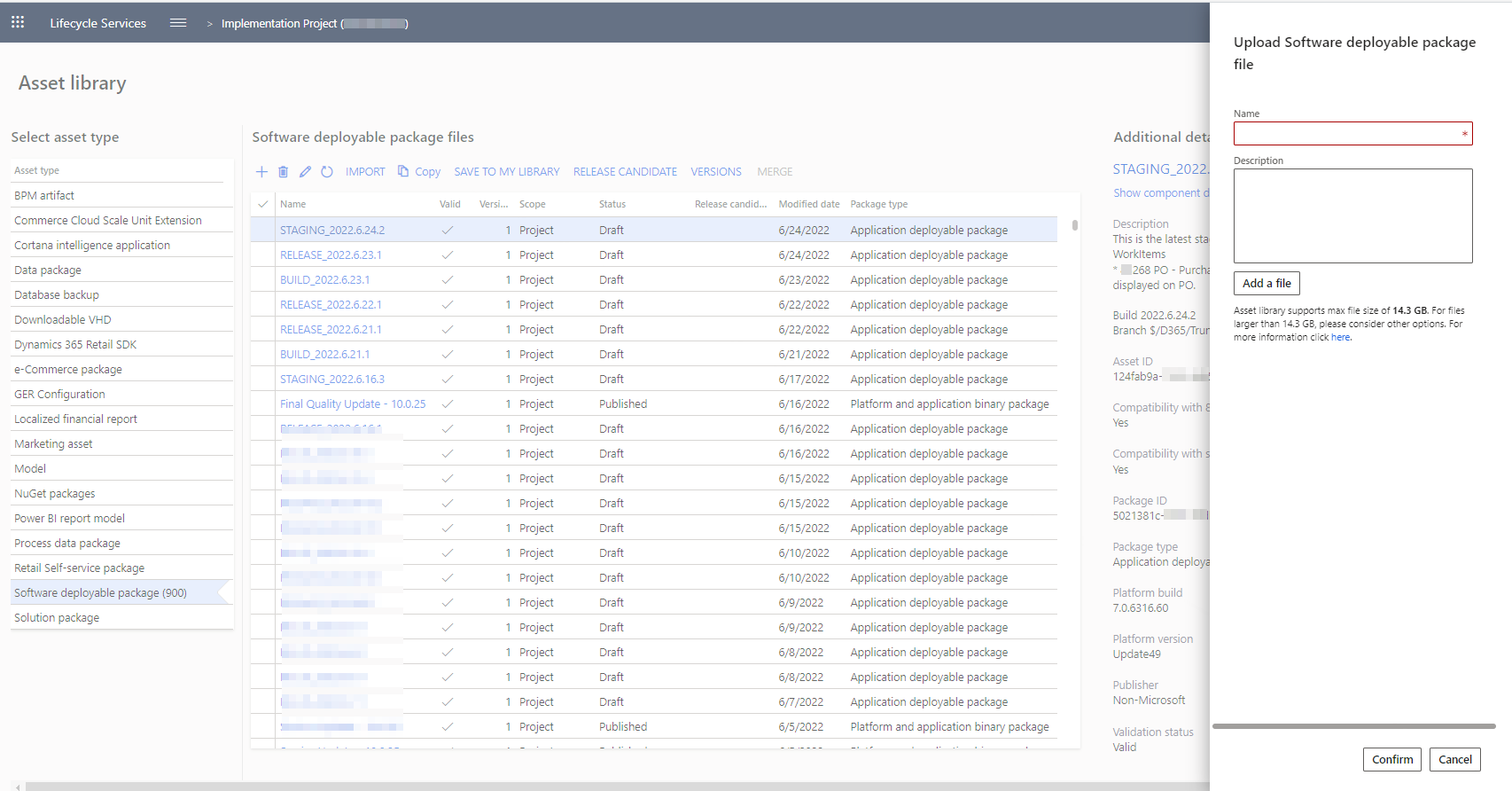
Load to LCS asset library, give proper name, description and upload file
Apply package to target environment #
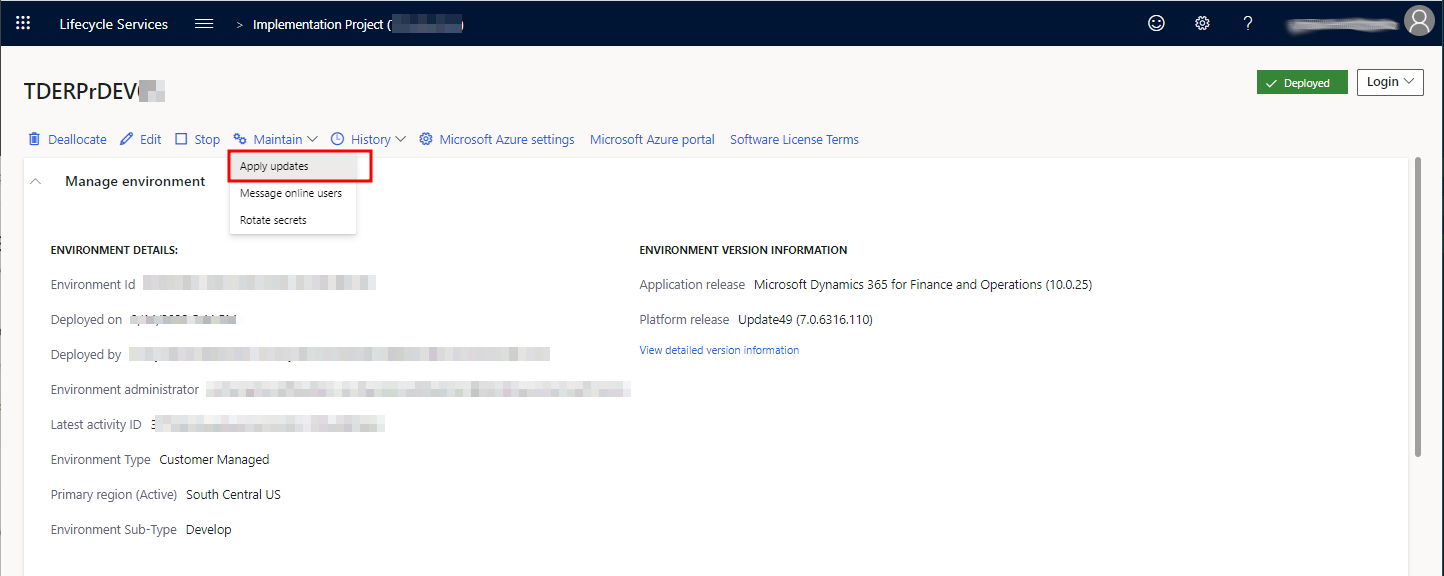
Maintain\Apply
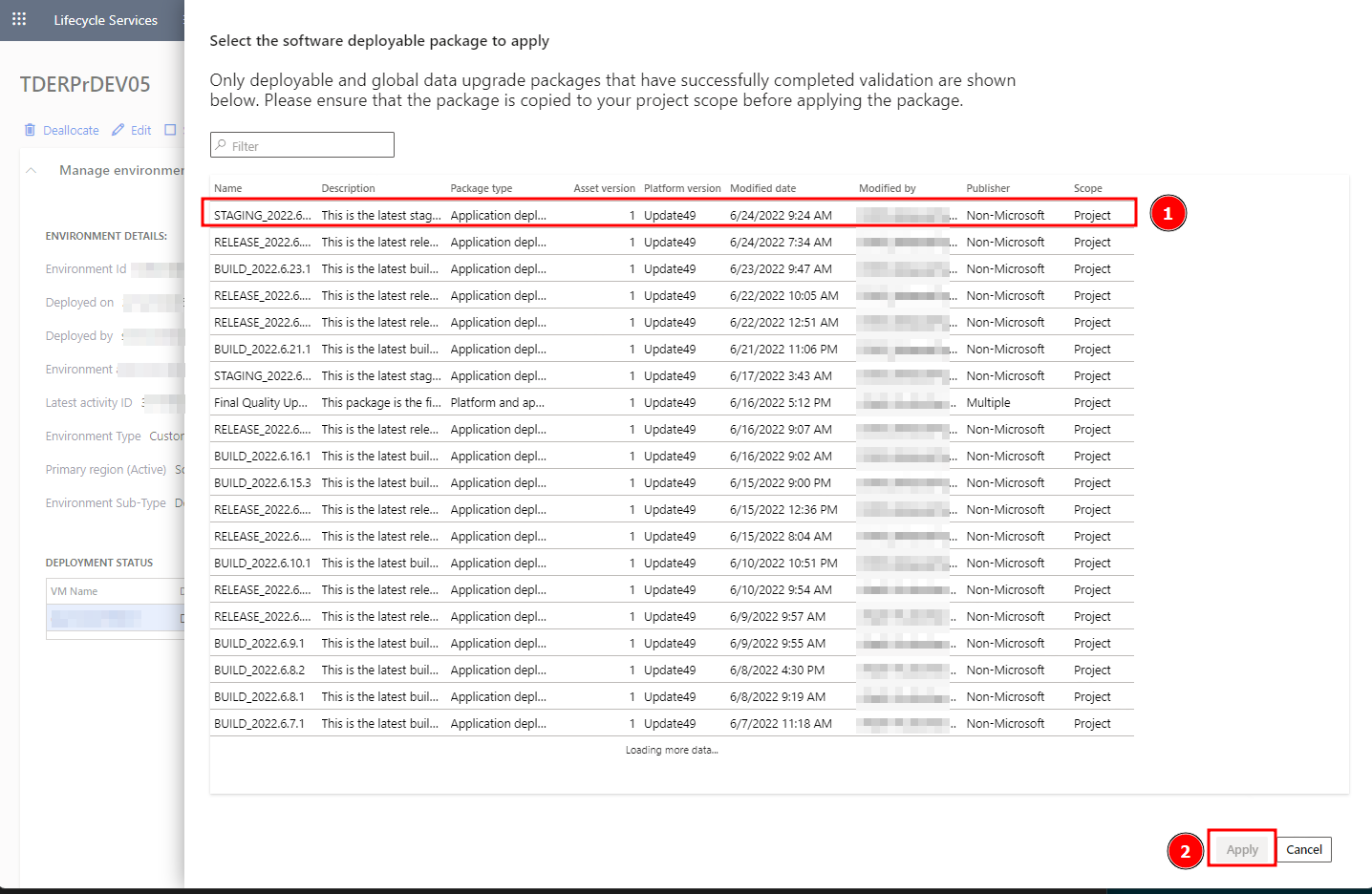
Select package and press Apply
Auto steps #
In automatic mode all steps will run automatically. After build pipeline completed it run related release pipeline, It upload package to the LCS and apply package to the target environment. How to create proper release