Dev box login and initial setup #
All development is going on DEV boxes. One dev box designed for one developer. DEV box is a virtual machine. It can be placed on cloud and on premice as well. We will describe on cloud version only. DEV box it is already ready to work VM - All in one VM. It contain Visual studio installed, Dynamics 365 for finance and operations, MS Sql server, MS Office etc.
Login to DEV box
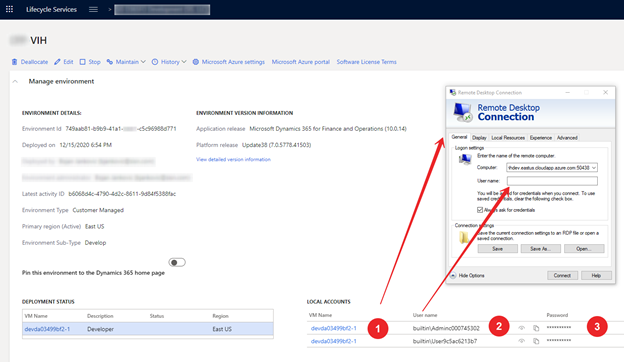
Where
| # | Description |
|---|---|
| 1 | Link do downloadable file with RDP setup connection |
| 2 | User for login to DEV Box |
| 3 | Password for user to DEV Box |
In DEV Box we should run Visual studio (current supported version 2017) as Administrator
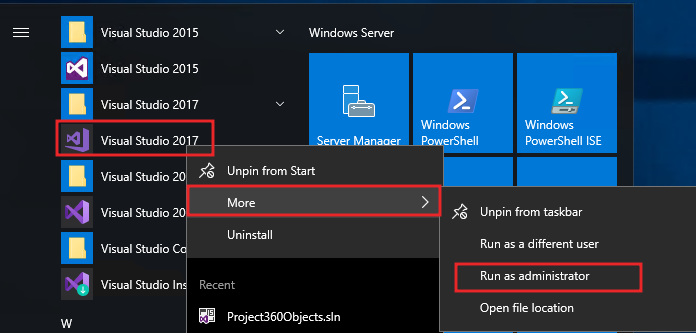
Enter credentials to Visual studio to continue work
When we open first time Visual studio we should setup our Azure DevOps repository. VS/menu/View/Team explorer.
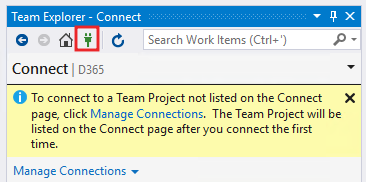
Select existing connection or add new connection
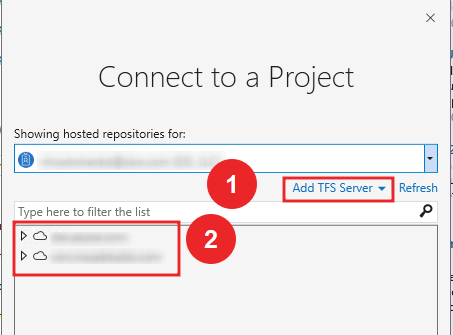
Select Advanced
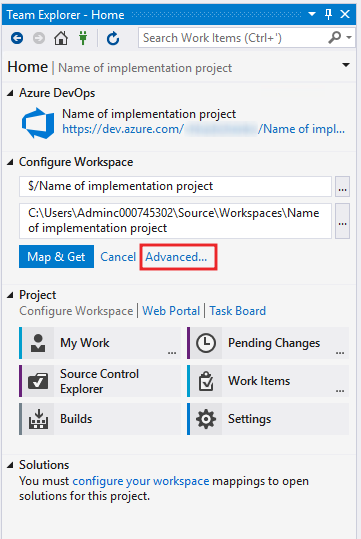
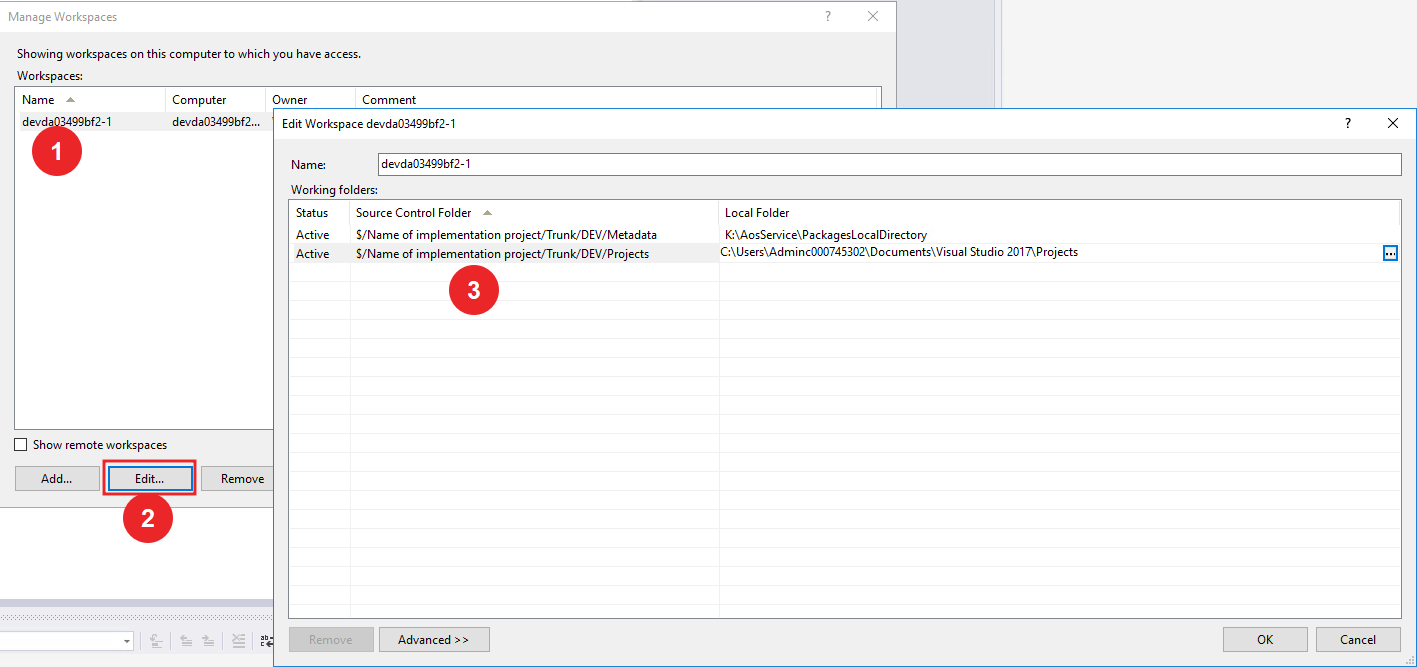
And setup map between DEV box local resources and repository
Agree with confirmation
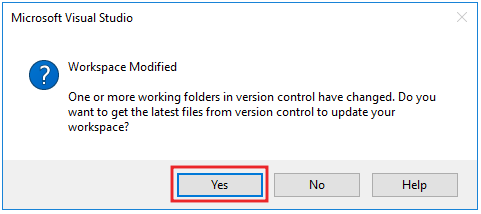
For current moment we have setup VS code with our repository. If repository already has objects - its will synchronize when you press Yes button.